WinToUSB 10.9.0.2 Multilingual-[Waseem]
About WinToUSB 10.9.0.2 Multilingual-[Waseem]
Overview
WinToUSB is the best Windows To Go Maker that allows you to install and run Windows operating system on a USB hard drive or USB flash drive, using an ISO image or CD/DVD drive as the source of installation. Starting from version 2.0, you can clone current Windows OS installation (Windows 7 or later) to a USB drive as a Windows To Go Workspace. WinToUSB also supports creating a bootable WinPE USB drive, it can help you transfer the contents of WinPE to a USB drive and make the drive bootable. Fea
Features
Easy-to-use wizard interface that provides step-by-step instructions for creating a Windows To Go USB drive
Frequently Asked Questions
How do I download WinToUSB 10.9.0.2 Multilingual-[Waseem]?
Click the magnet or torrent download button on this page to start downloading WinToUSB 10.9.0.2 Multilingual-[Waseem]. A BitTorrent client is required.
What is the file size of WinToUSB 10.9.0.2 Multilingual-[Waseem]?
The total size of WinToUSB 10.9.0.2 Multilingual-[Waseem] is 61.9 MB.
How many seeders are available for WinToUSB 10.9.0.2 Multilingual-[Waseem]?
WinToUSB 10.9.0.2 Multilingual-[Waseem] currently has 16366 seeders, which affects download speed.
What category is WinToUSB 10.9.0.2 Multilingual-[Waseem] in?
WinToUSB 10.9.0.2 Multilingual-[Waseem] is listed under Applications on 1337x.
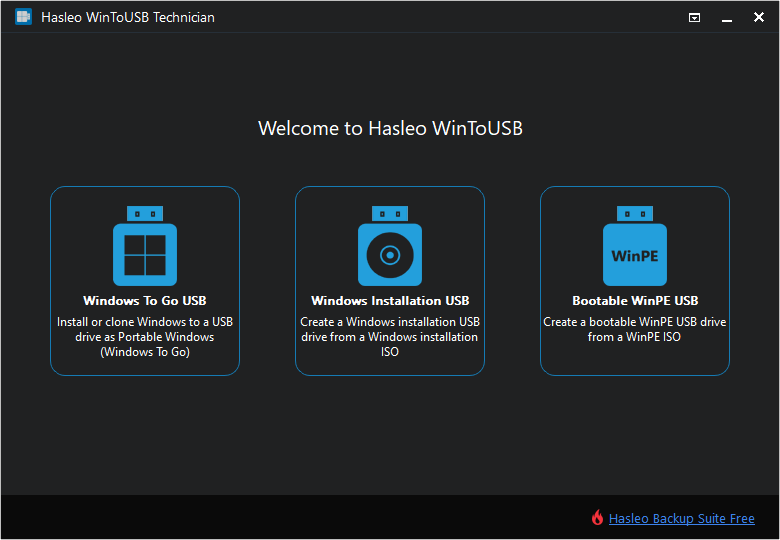
WinToUSB is the best Windows To Go Maker that allows you to install and run Windows operating system on a USB hard drive or USB flash drive, using an ISO image or CD/DVD drive as the source of installation. Starting from version 2.0, you can clone current Windows OS installation (Windows 7 or later) to a USB drive as a Windows To Go Workspace. WinToUSB also supports creating a bootable WinPE USB drive, it can help you transfer the contents of WinPE to a USB drive and make the drive bootable.
Features :
Easy-to-use wizard interface that provides step-by-step instructions for creating a Windows To Go USB drive.
Creation of Windows To Go from an ISO image file or CD/DVD drive.
Clone an existing Windows OS (Windows 7 or later) to a USB Drive as a Windows To Go Workspace.
Use of a Non-Enterprise Edition of Windows 10/8.1/8/7 to create Windows To Go Workspace.
Creation of Windows To Go on Non-Certified Windows To Go USB Drive.
Clone current Windows OS (Enterprise edition of Windows 10/8.1/8/7) to a USB drive as a Windows To Go Workspace
Clone current Windows OS which on a dynamic disk to a USB drive as a Windows To Go Workspace
Clone current Windows OS which on a USB disk (Windows To Go USB drive) to other USB drives as a Windows To Go Workspace
https://www.virustotal.com/gui/file/504fd3af5f5d886f838b76bedfc34ddad5135508698344b29a4d65d58b2cdc1d
https://www.virustotal.com/gui/file/9a853cad9a47f7dc776a23de419e154603e091da8d64a77fa4894451264c654b