Markdown Monster 4.5.2 [pac]
About Markdown Monster 4.5.2 [pac]
Overview
Markdown Monster is a Markdown editor and viewer that lets you edit Markdown with syntax highlighting and fast text entry. A collapsible, synced, live preview lets you see your output as you type or scroll. Easily embed images, links, emojis and code using Markdown text or use our gentle UI helpers that simplify many operations with a couple of keystrokes. Paste images from the clipboard or drag and drop from Explorer or our built-in folder browser. Inline spell-checking and word counts keep you
Features
let you browse for and select files in the built-in folder browser, use the document outline to jump through sections in your Markdown, or shell out to Explorer, Terminal or your favorite Git client
System Requirements
Microsoft Windows 10 or later
Frequently Asked Questions
How do I download Markdown Monster 4.5.2 [pac]?
Click the magnet or torrent download button on this page to start downloading Markdown Monster 4.5.2 [pac]. A BitTorrent client is required.
What is the file size of Markdown Monster 4.5.2 [pac]?
The total size of Markdown Monster 4.5.2 [pac] is 22.4 MB.
How many seeders are available for Markdown Monster 4.5.2 [pac]?
Markdown Monster 4.5.2 [pac] currently has 21410 seeders, which affects download speed.
What category is Markdown Monster 4.5.2 [pac] in?
Markdown Monster 4.5.2 [pac] is listed under Applications on 1337x.
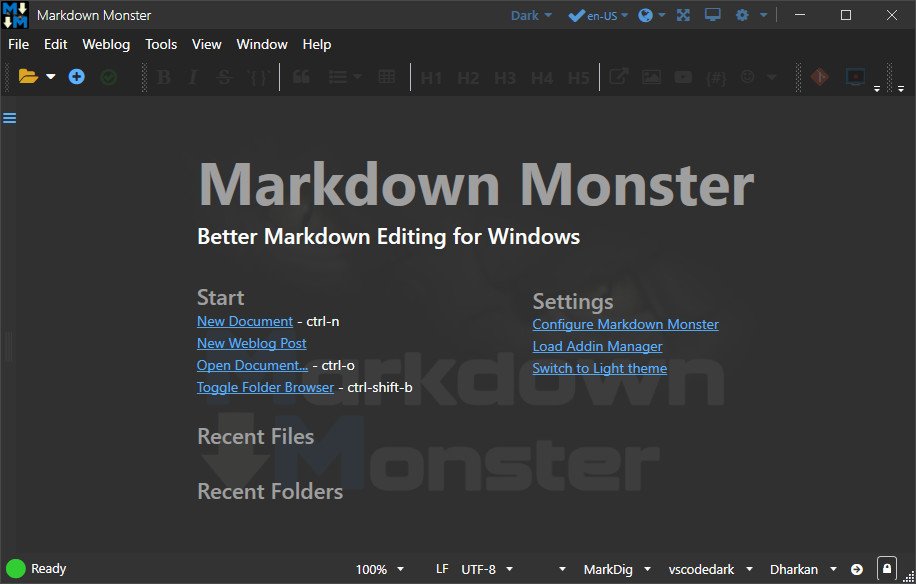
Markdown Monster is a Markdown editor and viewer that lets you edit Markdown with syntax highlighting and fast text entry. A collapsible, synced, live preview lets you see your output as you type or scroll. Easily embed images, links, emojis and code using Markdown text or use our gentle UI helpers that simplify many operations with a couple of keystrokes. Paste images from the clipboard or drag and drop from Explorer or our built-in folder browser. Inline spell-checking and word counts keep your content streamlined unobtrusively.
You can export your Markdown to HTML or PDF by saving to disk or by copying Markdown selections as HTML directly to the clipboard. The HTML preview can display syntax colored code snippets for most common coding languages, and can easily be customized with HTML and CSS template to match your own sites. You can choose from a light and dark app theme, and choose individual editor and preview themes that are fully customizable. You can even use Vim or EMacs type conventions. Other convenience features let you browse for and select files in the built-in folder browser, use the document outline to jump through sections in your Markdown, or shell out to Explorer, Terminal or your favorite Git client. It's all about convenience - everything is at your finger tips, but it's out of your way until you need it.
Markdown Editing and Weblog Publishing for Windows
Syntax colored Markdown
Live HTML preview
Inline spell checking
Embed images, links and emoji
Paste images from Clipboard
Capture & embed screen shots
Save to Html and PDF
Weblog publishing and editing
HTML to Markdown conversion
Editor and preview themes
Git Integration
Document Outline
Template text expansion
.NET scripting & addins
Whats New
System Requirements
Microsoft Windows 10 or later
.NET 10.0 (installed by app)
WebView2 Runtime (installed by Windows)
https://www.virustotal.com/gui/file/d2392e3dba9496421167815a062a1699e6f16bac2a148e3bcb179c569cf2bf75
https://www.virustotal.com/gui/file/78468fbd27903abb14c0ec987d956b69f12521eb2f0d5e218181b2fffea77b0b