Microsoft Windows 11 26H2 (Release Preview) Build 26300.9278 Incl...
About Microsoft Windows 11 26H2 (Release Preview) Build 26300.9278 Incl...
Overview
Visit for more apps - CracksHash Microsoft Windows 11 26H2 (Release Preview) Build 26300.9278 Incl. Activator {CracksHash} Microsoft Windows 11 version 26H2 brings minor UI customizations, performance tweaks, and management improvements through a lightweight enablement package. Key Features and Changes Taskbar and Start Menu: You can adjust the Start Menu size or show only pinned applications. Taskbar flexibility is improved, though availability depends on specific feature rollouts. Low Latency
Features
and Changes Taskbar and Start Menu: You can adjust the Start Menu size or show only pinned applications
Frequently Asked Questions
How do I download Microsoft Windows 11 26H2 (Release Preview) Build 26300.9278 Incl...?
Click the magnet or torrent download button on this page to start downloading Microsoft Windows 11 26H2 (Release Preview) Build 26300.9278 Incl.... A BitTorrent client is required.
What is the file size of Microsoft Windows 11 26H2 (Release Preview) Build 26300.9278 Incl...?
The total size of Microsoft Windows 11 26H2 (Release Preview) Build 26300.9278 Incl... is 8.5 GB.
How many seeders are available for Microsoft Windows 11 26H2 (Release Preview) Build 26300.9278 Incl...?
Microsoft Windows 11 26H2 (Release Preview) Build 26300.9278 Incl... currently has 13894 seeders, which affects download speed.
What category is Microsoft Windows 11 26H2 (Release Preview) Build 26300.9278 Incl... in?
Microsoft Windows 11 26H2 (Release Preview) Build 26300.9278 Incl... is listed under Applications on 1337x.
Visit for more apps - CracksHash

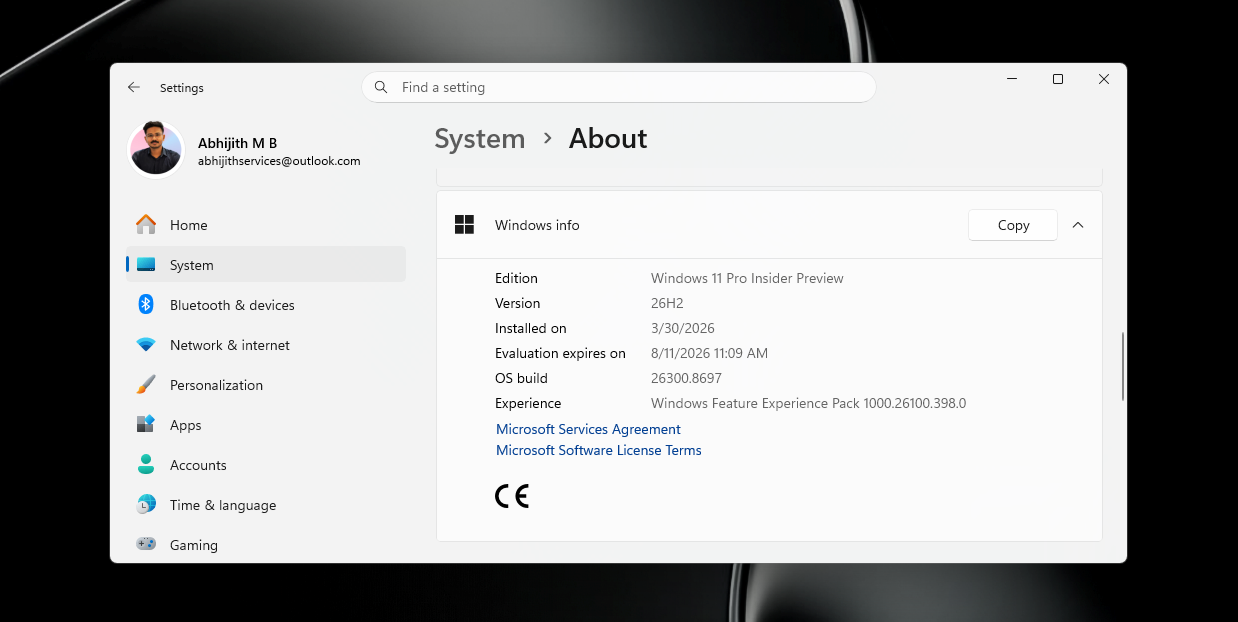
Microsoft Windows 11 26H2 (Release Preview) Build 26300.9278 Incl. Activator {CracksHash}
Microsoft Windows 11 version 26H2 brings minor UI customizations, performance tweaks, and management improvements through a lightweight enablement package.
Key Features and Changes
Taskbar and Start Menu: You can adjust the Start Menu size or show only pinned applications. Taskbar flexibility is improved, though availability depends on specific feature rollouts.
Low Latency Profile: A performance tweak briefly boosts processor speed when you launch apps or open the Start menu to make everyday actions feel faster.
Decluttered Context Menu: File Explorer's right-click menu groups standard file options under a clearer management submenu.
Clean Search Options: You can switch off web results in the search box to keep local file lookups focused.
Streamlined Updates: Driver, firmware, and security updates are bundled into fewer restart requirements.
Commercial Rollouts: Features previously tested in earlier branches—like advanced Windows settings backups—are enabled by default for commercial environments.
Included Editions:
Home
Professional
Education
Enterprise