Systweak PDF Editor Pro v1.0.0.9535 + Fix {CracksHash}
About Systweak PDF Editor Pro v1.0.0.9535 + Fix {CracksHash}
Overview
Visit for more apps - CracksHash Systweak PDF Editor Pro v1.0.0.9535 + Fix {CracksHash} PDF Editing Gets Easy! A quick and straightforward solution to edit, convert, sign, protect, compress PDFs, and make scanned PDFs searchable and selectable. - Convert PDF files to Excel, Word, PowerPoint, images & vice versa - List icon Edit, merge, split, compress, annotate, extract & stamp your PDFs - List icon Sign, encrypt, unlock, rotate, split, bookmark & combine your PDFs Seamless PDF Editi
Features
provided by Systweak PDF Editor, you can now effortlessly review PDF documents, add comments, highlight text, draw shapes, underline important text, and more
Frequently Asked Questions
How do I download Systweak PDF Editor Pro v1.0.0.9535 + Fix {CracksHash}?
Click the magnet or torrent download button on this page to start downloading Systweak PDF Editor Pro v1.0.0.9535 + Fix {CracksHash}. A BitTorrent client is required.
What is the file size of Systweak PDF Editor Pro v1.0.0.9535 + Fix {CracksHash}?
The total size of Systweak PDF Editor Pro v1.0.0.9535 + Fix {CracksHash} is 63.7 MB.
How many seeders are available for Systweak PDF Editor Pro v1.0.0.9535 + Fix {CracksHash}?
Systweak PDF Editor Pro v1.0.0.9535 + Fix {CracksHash} currently has 20822 seeders, which affects download speed.
What category is Systweak PDF Editor Pro v1.0.0.9535 + Fix {CracksHash} in?
Systweak PDF Editor Pro v1.0.0.9535 + Fix {CracksHash} is listed under Applications on 1337x.
Visit for more apps - CracksHash

Systweak PDF Editor Pro v1.0.0.9535 + Fix {CracksHash}
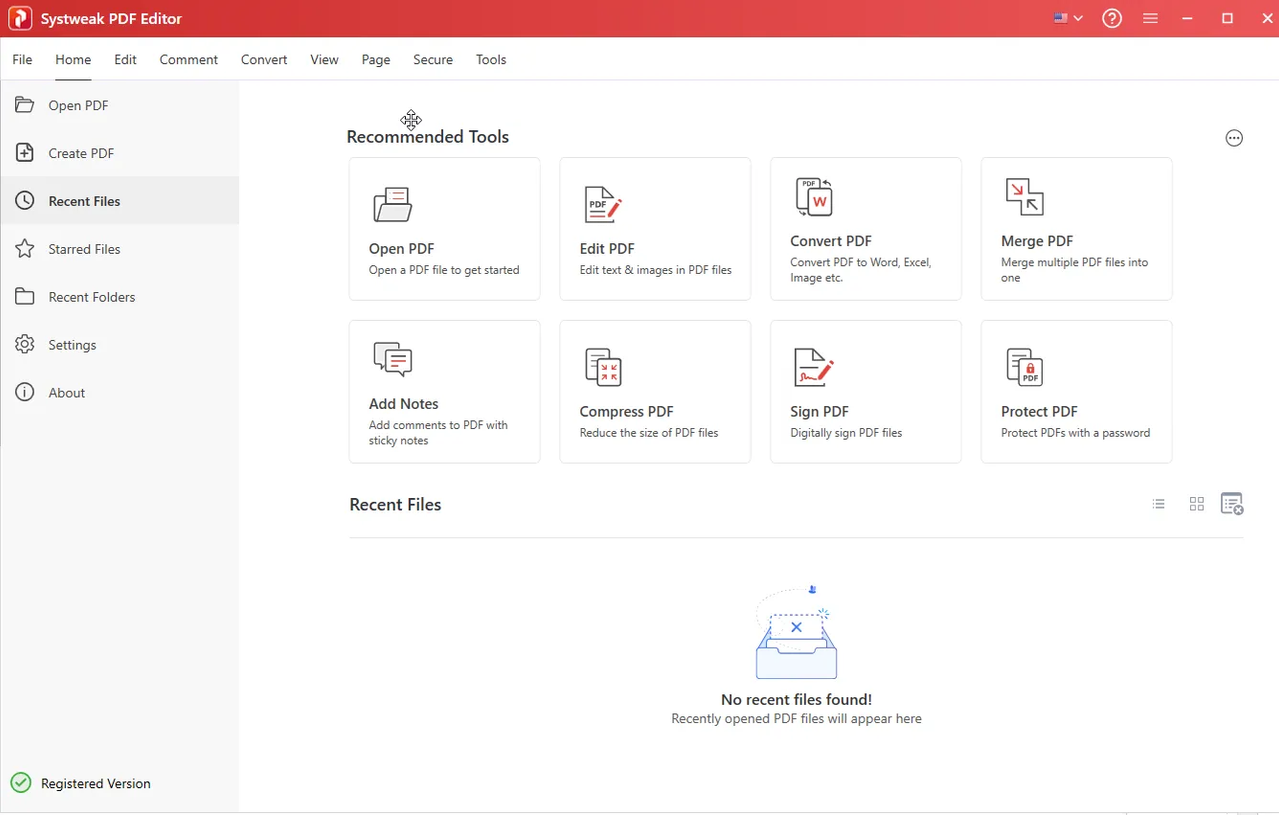
PDF Editing Gets Easy! A quick and straightforward solution to edit, convert, sign, protect, compress PDFs, and make scanned PDFs searchable and selectable.
- Convert PDF files to Excel, Word, PowerPoint, images & vice versa
- List icon Edit, merge, split, compress, annotate, extract & stamp your PDFs
- List icon Sign, encrypt, unlock, rotate, split, bookmark & combine your PDFs
Seamless PDF Editing With One Software
Edit PDF
Edit, modify, and perform others PDF editing tasks easily with Systweak PDF Editor. It is a user-friendly tool that allows you to split, delete, merge, add bookmarks, edit scanned PDFs, annotate, add images, text, notes, text callouts, and perform other editing tasks easily without any technical skills. The tool simplifies PDF editing for everyone making the process fast and secure.
Annotate text in PDF
Whether collaborating with colleagues or reviewing documents for personal use, annotating helps. With this must-have feature provided by Systweak PDF Editor, you can now effortlessly review PDF documents, add comments, highlight text, draw shapes, underline important text, and more. The tools make sharing feedback and suggestions painless.
Merge PDF
Efficiently combine & manage your PDF files with Systweak PDF Editor. It doesn’t matter whether you're working on a project with colleagues or need to consolidate personal documents. You can now combine multiple PDF files or specific pages into one document. Moreover, you can save the merged PDF on an internal or external drive and access it with ease.
Perform OCR
OCR stands for Optical Character Recognition. Systweak PDF Editor allows you to load and view scanned PDF documents while making the text selectable and searchable.
Convert PDF
Converting PDF files to text documents, Word, Excel, Powerpoint, high-resolution images, HTML, EPUB, or any other format has been challenging. With the Systweak PDF Editor, swiftly convert your PDF files into various editable formats. Transforming PDFs to and from any MS Office file, image, e-book, webpage, and other formats gets easier.
Compress PDF
With Systweak PDF Editor now easily reduce the size of your PDF files. The ultimate PDF editor gives you three compression levels for easy file compression. Select the High compression level to reduce the file size to the maximum. However, select either the medium or low compression level to maintain the file quality and reduce its size.
Create PDF
Creating a PDF file involves converting a document into a format that can easily be viewed and shared on any device. This can be easily achieved using the create option offered by Systweak PDF Editor software. Use it to create new PDF documents or convert existing ones, such as Microsoft Word, PowerPoint, SVG, HTML, and other formats.
Instructions and Fix are provided in the files
Virus Total-
Setup - https://www.virustotal.com/gui/file/c6e1f94c577d7ea31a2a400092cc7e07d88c003ad4808987890bf90e89d2ac0d
Crack - https://www.virustotal.com/gui/file/76385e3ef7bcefeef5e34898f00c0e796fbbeb4949d1e6ee78635a82ac52631f