Obsidian Ebook Reader Premium 2.1.2 Fixed[FixFiles]
About Obsidian Ebook Reader Premium 2.1.2 Fixed[FixFiles]
Overview
Simply your library. Designed for privacy. Obsidian is a Windows ebook reader built around library management and privacy. Point it at your folders, organize EPUBs and PDFs, and read entirely offline — with no accounts, ads, or telemetry. Built for your library and your privacy Organize books from your own folders, keep everything on your machine, and read without handing data to anyone else. Add books your way Import one file at a time, pull in a whole folder, include nested subfolders, or set
System Requirements
Windows 10 version 14316
Frequently Asked Questions
How do I download Obsidian Ebook Reader Premium 2.1.2 Fixed[FixFiles]?
Click the magnet or torrent download button on this page to start downloading Obsidian Ebook Reader Premium 2.1.2 Fixed[FixFiles]. A BitTorrent client is required.
What is the file size of Obsidian Ebook Reader Premium 2.1.2 Fixed[FixFiles]?
The total size of Obsidian Ebook Reader Premium 2.1.2 Fixed[FixFiles] is 141.5 MB.
How many seeders are available for Obsidian Ebook Reader Premium 2.1.2 Fixed[FixFiles]?
Obsidian Ebook Reader Premium 2.1.2 Fixed[FixFiles] currently has 21387 seeders, which affects download speed.
What category is Obsidian Ebook Reader Premium 2.1.2 Fixed[FixFiles] in?
Obsidian Ebook Reader Premium 2.1.2 Fixed[FixFiles] is listed under Applications on 1337x.
Simply your library. Designed for privacy. Obsidian is a Windows ebook reader built around library management and privacy. Point it at your folders, organize EPUBs and PDFs, and read entirely offline — with no accounts, ads, or telemetry.
Built for your library and your privacy
Organize books from your own folders, keep everything on your machine, and read without handing data to anyone else.
Add books your way
Import one file at a time, pull in a whole folder, include nested subfolders, or set up folder sync so your library stays up to date automatically.
- Add File — single EPUB or PDF
- Add Folder — bulk import
- Include Subfolders
- Sync Folders — auto-scanned directories
Edit book metadata
Fix titles, authors, and cover art after import so large collections stay organized. Premium lets you curate every detail of your shelf.
- Edit title and author
- Replace cover images
- Reset to defaults when needed
Browse and organize at a glance
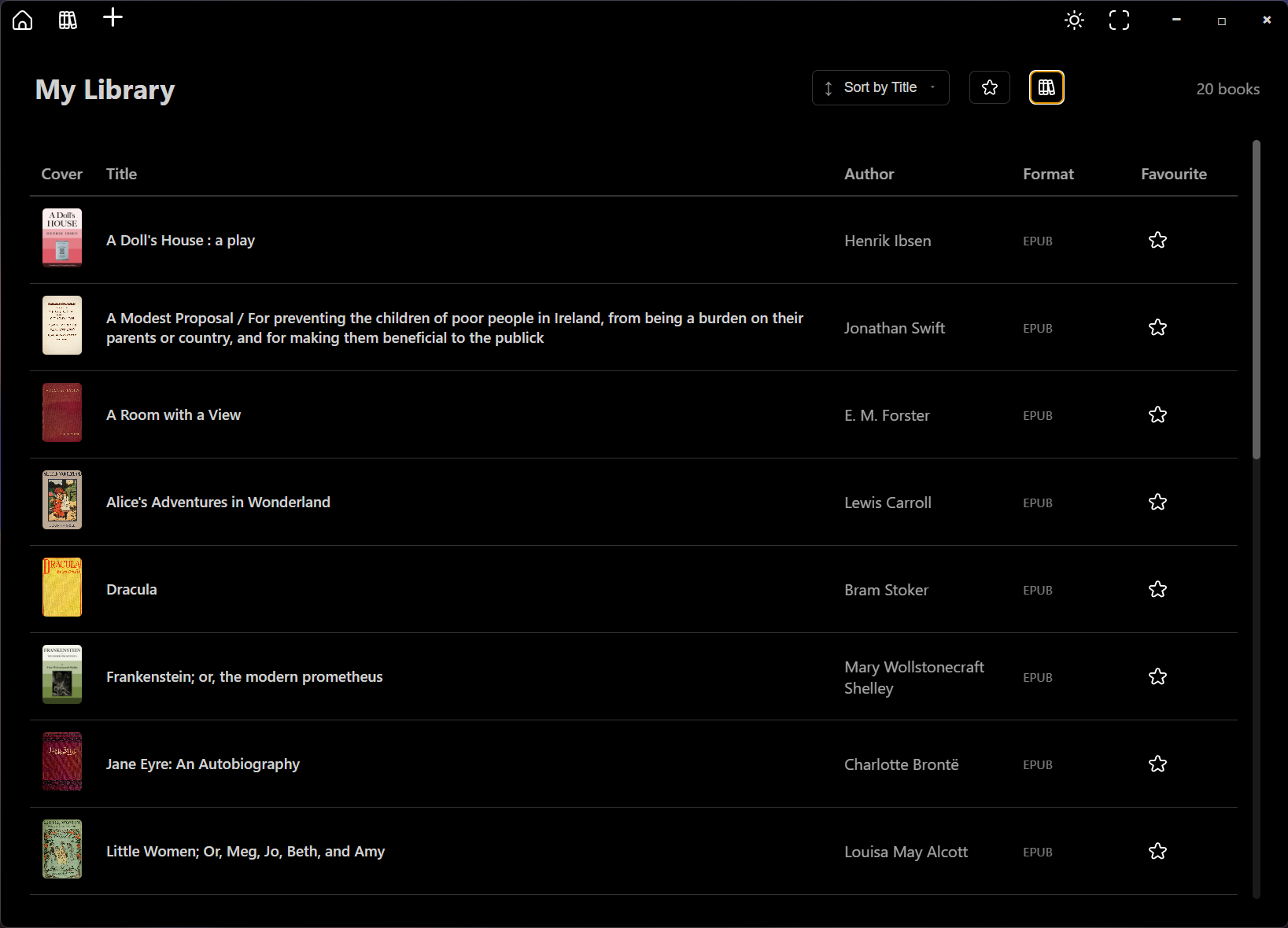
See covers, titles, authors, and formats in a sortable list. Mark favorites, switch views, and manage growing collections without losing track of a single book.
- Sort and filter your collection
- List and grid-style browsing
- Light and dark interface themes
Typography and layout controls
Open the styling panel while you read to adjust fonts, spacing, and margins. Dial in a comfortable layout for long sessions on any screen.
- Font family and size
- Line, word, and letter spacing
- Margin presets and page layout
Release Notes
System Requirements
Windows 10 version 14316.0 or higher
Virustotal
Setup: https://www.virustotal.com/gui/file/59296c78b935a16b41a48eab37ccfebb99538a48eab429d995120ee0192575b1
Triage:
Setup: https://tria.ge/260720-sh6ybsfz7y/static1