Antidote 12 v4.0.3 (x64) + Fix {CracksHash}
About Antidote 12 v4.0.3 (x64) + Fix {CracksHash}
Overview
Visit for more apps - CracksHash Antidote 12 v4.0.3 (x64) + Fix {CracksHash} Antidote 12 - New edition. Powerful Tools. Simple to Use. All the tools you need to improve your writing. Antidote is a one-stop, multi-resource platform sure to be useful to anyone writing in English. In a single operation, Antidote’s corrector flags a wide variety of errors: from capitalization and verb agreement to unwelcome commas and redundancies. After spelling and grammar, correct typography and style, including
Features
Keep Your Writing Healthy The corrector analyzes your text and flags any detections in one easy operation
Frequently Asked Questions
How do I download Antidote 12 v4.0.3 (x64) + Fix {CracksHash}?
Click the magnet or torrent download button on this page to start downloading Antidote 12 v4.0.3 (x64) + Fix {CracksHash}. A BitTorrent client is required.
What is the file size of Antidote 12 v4.0.3 (x64) + Fix {CracksHash}?
The total size of Antidote 12 v4.0.3 (x64) + Fix {CracksHash} is 3.3 GB.
How many seeders are available for Antidote 12 v4.0.3 (x64) + Fix {CracksHash}?
Antidote 12 v4.0.3 (x64) + Fix {CracksHash} currently has 18870 seeders, which affects download speed.
What category is Antidote 12 v4.0.3 (x64) + Fix {CracksHash} in?
Antidote 12 v4.0.3 (x64) + Fix {CracksHash} is listed under Applications on 1337x.
Visit for more apps - CracksHash

Antidote 12 v4.0.3 (x64) + Fix {CracksHash}
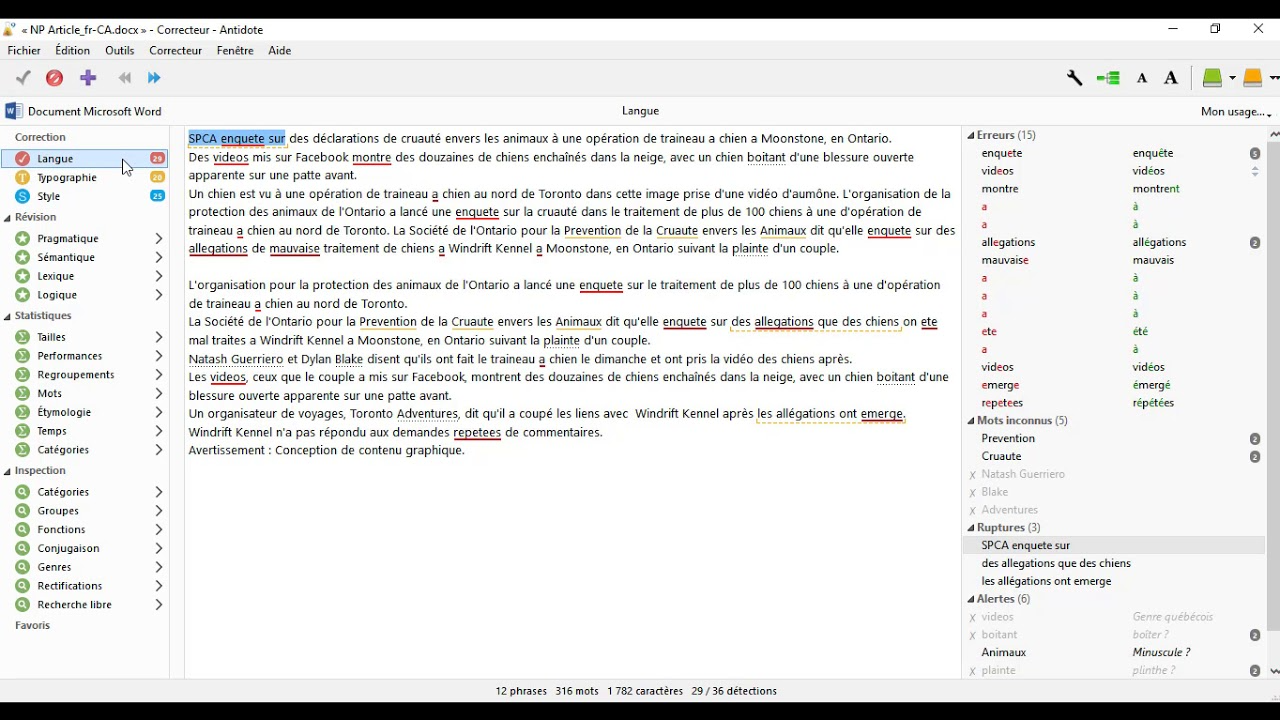
Antidote 12 - New edition. Powerful Tools. Simple to Use. All the tools you need to improve your writing. Antidote is a one-stop, multi-resource platform sure to be useful to anyone writing in English. In a single operation, Antidote’s corrector flags a wide variety of errors: from capitalization and verb agreement to unwelcome commas and redundancies. After spelling and grammar, correct typography and style, including repetitions and dull verbs. Never has a piece of software offered you such power to perfect your writing.
Features :-
Keep Your Writing Healthy
The corrector analyzes your text and flags any detections in one easy operation. This allows you not only to correct any errors, but also to improve the style. Hover over a highlighted word to see a tooltip with corrections and their explanations or a suggested replacement. Click to confirm, and the text is automatically replaced. As well as correcting spelling and grammar, you can also clean up your typography, eliminate repetitions and replace any non-inclusive terms thanks to the smart filters. No software has ever given you so much power to refine your writing.
Find the Right Word
Read the definition, then toggle between resources or words to pinpoint the perfect choice—all in just a few clicks. View synonyms, antonyms, expressions, semantic fields and word families. Find inspiration with the combinations, which tell you the strongest associations between words. Check the word’s conjugation, hear it pronounced,* take note of the difficulties highlighted by our linguists and view thousands of carefully selected examples. With its incomparable depth and powerful search engines, Antidote pushes the limits of what dictionaries can do.
Learn From Your Mistakes
When you click on a tooltip in the corrector, the grammar guide opens at the right page, providing a clear and concise description of the rules and their exceptions. Learn it all thanks to tips and relevant examples. Easily browse through related material or through all 520 articles, which cover all aspects of writing including spelling, lexicon, punctuation and syntax.
Make Your Emails Mistake-Proof
Say goodbye to typos and missing attachments. Anti-Oops! works with all major email applications on Windows and Mac. Acting as a safety net, it analyzes each message before you send it, allowing you to fix any oversights before it’s too late.
Instructions and Fix is included in files
Virus Total links -
Crack - https://www.virustotal.com/gui/file/81a98e83aba7e274a968cf6fe9ea570fd7aa3a036b770aabe11b965d51198eea