4DDiG File Repair 4.3.7 Multilingual
About 4DDiG File Repair 4.3.7 Multilingual
Overview
4DDiG File Repair 4.3.7 Multilingual 4DDiG File Repair is a simple yet efficient multimedia repair tool designed to improve the quality of damaged or corrupted videos and photos. Even content captured with high-quality cameras can suffer from corruption, pixelation, or quality issues, and this tool helps restore them quickly in batch mode. The application installs easily and features a clean, user-friendly interface with two main modules: Video Repair and Photo Repair. Video Repair Module: Repai
Features
a clean, user-friendly interface with two main modules: Video Repair and Photo Repair
Frequently Asked Questions
How do I download 4DDiG File Repair 4.3.7 Multilingual?
Click the magnet or torrent download button on this page to start downloading 4DDiG File Repair 4.3.7 Multilingual. A BitTorrent client is required.
What is the file size of 4DDiG File Repair 4.3.7 Multilingual?
The total size of 4DDiG File Repair 4.3.7 Multilingual is 216.1 MB.
How many seeders are available for 4DDiG File Repair 4.3.7 Multilingual?
4DDiG File Repair 4.3.7 Multilingual currently has 28968 seeders, which affects download speed.
What category is 4DDiG File Repair 4.3.7 Multilingual in?
4DDiG File Repair 4.3.7 Multilingual is listed under Applications on 1337x.
4DDiG File Repair 4.3.7 Multilingual
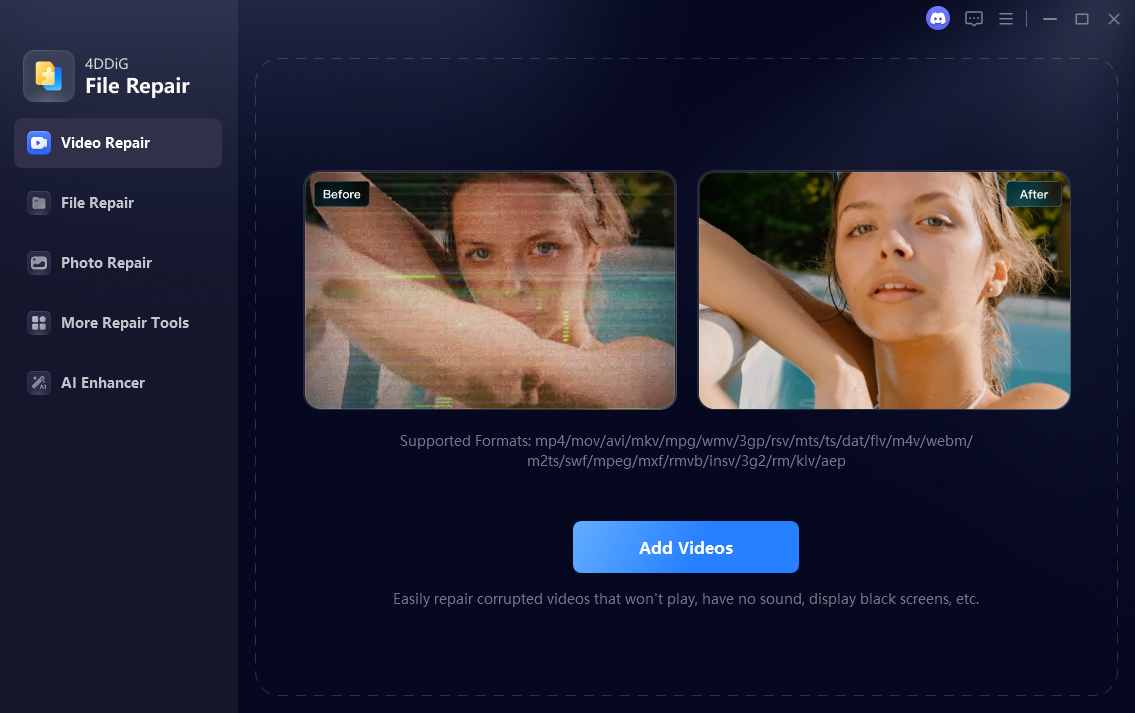
4DDiG File Repair is a simple yet efficient multimedia repair tool designed to
improve the quality of damaged or corrupted videos and photos. Even content captured
with high-quality cameras can suffer from corruption, pixelation, or quality issues,
and this tool helps restore them quickly in batch mode.
The application installs easily and features a clean, user-friendly interface with
two main modules: Video Repair and Photo Repair.
Video Repair Module:
- Repair corrupted or damaged video files
- Batch processing support
- Displays video details (size, duration, codec, location)
- Repaired videos can be previewed before saving
Once videos are repaired, they are automatically moved to a separate list, where
they can be previewed using the built-in video player before export.
Photo Repair Module:
- Fix pixelated, overexposed, or corrupted photos
- Displays image size, format, resolution, and location
- Batch photo repair supported
- Preview repaired photos before saving
The photo repair process is fully automatic — simply add the images and click
“Start Repair.” While there are no manual adjustment controls, the process is fast
and straightforward.
Key Features:
- Repair damaged videos and photos
- Batch processing for efficiency
- Simple tab-based interface
- Preview repaired files before saving
- Multilingual support
Summary:
4DDiG File Repair is a handy solution for repairing corrupted video files and
improving damaged or low-quality photos. While it lacks manual editing controls,
its simplicity, batch processing, and reliable repair results make it a useful
tool for photographers and videographers alike.
VirusTotal Scan Results:
Scan Result #1
Scan Result #2
Scan Result #3