Polarr Photo Editor Pro 5.11.11 Pre-Activated - [haxNode]
About Polarr Photo Editor Pro 5.11.11 Pre-Activated - [haxNode]
Overview
Polarr Photo Editor Pro Overview It doesn’t matter if you’re new to photography or a pro, Polarr has it all. Novices will appreciate that Polarr offers advanced auto-enhance tools and sophisticated filters to edit all the details of your photo. Pro photographers will look forward to our layer support, curve tools, local adjustments and so much more. Key Features of Polarr Photo Editor Pro Main Features Custom overlay and complex blending modes  
Features
of Polarr Photo Editor Pro Main Features Custom overlay and complex blending modes Dual lens effects and depth adjustments Complete set of masking and local adjustment tools Advanced suite of face-editing tools with smart detection Create, customize and share your own filters Batch exporting Overview Custom overlay and complex blending modes Dual lens effects and depth adjustments Complete set of masking and local adjustment tools Advanced suite of face-editing tools with smart detection Create, customize and share your own filters Batch exporting Filters Make and share your own custom Filters Get started with basic filters, grow with pro filters Sync filters between all of your devices Layers and blending modes Superimpose photos with 10 and more blending modes Add photorealistic effects like clouds, weather effects, light leaks, flares and more Duotone your photos with our presets or create your own unique flavor Local adjustments include Depth mask: Adjust photo based on depth using the dual camera Brush mask: Draw your mask with an advanced edge-aware brush Color mask: Selective adjustment with color Radial mask: Circular adjustment over your photo Gradient mask: Adjusting photo over a gradient Luminance mask: Selective adjustment based on brightness
Frequently Asked Questions
How do I download Polarr Photo Editor Pro 5.11.11 Pre-Activated - [haxNode]?
Click the magnet or torrent download button on this page to start downloading Polarr Photo Editor Pro 5.11.11 Pre-Activated - [haxNode]. A BitTorrent client is required.
What is the file size of Polarr Photo Editor Pro 5.11.11 Pre-Activated - [haxNode]?
The total size of Polarr Photo Editor Pro 5.11.11 Pre-Activated - [haxNode] is 296.4 MB.
How many seeders are available for Polarr Photo Editor Pro 5.11.11 Pre-Activated - [haxNode]?
Polarr Photo Editor Pro 5.11.11 Pre-Activated - [haxNode] currently has 5 seeders, which affects download speed.
What category is Polarr Photo Editor Pro 5.11.11 Pre-Activated - [haxNode] in?
Polarr Photo Editor Pro 5.11.11 Pre-Activated - [haxNode] is listed under Applications on 1337x.

Polarr Photo Editor Pro Overview
It doesn’t matter if you’re new to photography or a pro, Polarr has it all. Novices will appreciate that Polarr offers advanced auto-enhance tools and sophisticated filters to edit all the details of your photo. Pro photographers will look forward to our layer support, curve tools, local adjustments and so much more.
Key Features of Polarr Photo Editor Pro
Main Features
Custom overlay and complex blending modes
Dual lens effects and depth adjustments
Complete set of masking and local adjustment tools
Advanced suite of face-editing tools with smart detection
Create, customize and share your own filters
Batch exporting
Overview
Custom overlay and complex blending modes
Dual lens effects and depth adjustments
Complete set of masking and local adjustment tools
Advanced suite of face-editing tools with smart detection
Create, customize and share your own filters
Batch exporting
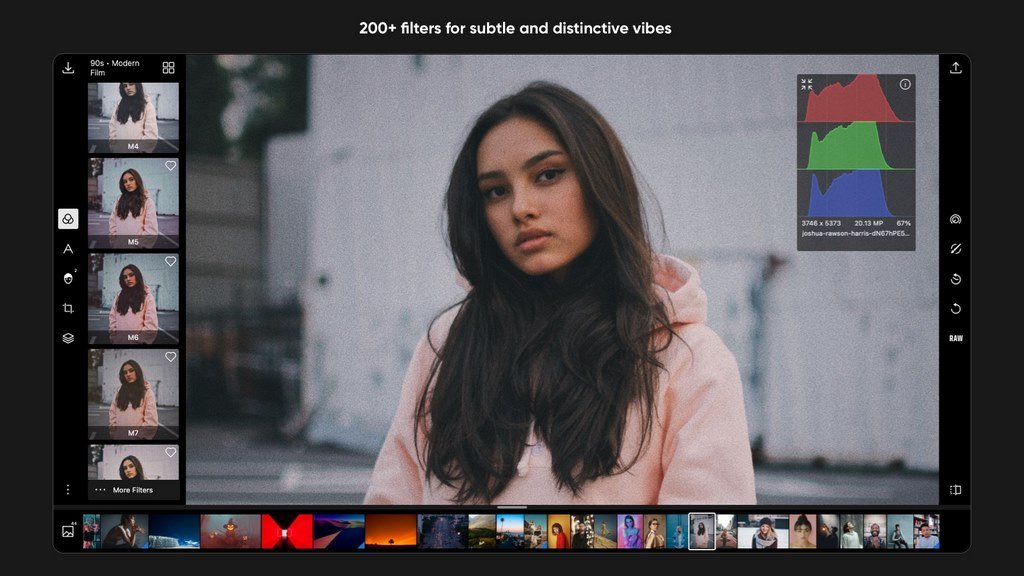
Filters
Make and share your own custom Filters
Get started with basic filters, grow with pro filters
Sync filters between all of your devices
Layers and blending modes
Superimpose photos with 10 and more blending modes
Add photorealistic effects like clouds, weather effects, light leaks, flares and more
Duotone your photos with our presets or create your own unique flavor
Local adjustments include
Depth mask: Adjust photo based on depth using the dual camera
Brush mask: Draw your mask with an advanced edge-aware brush
Color mask: Selective adjustment with color
Radial mask: Circular adjustment over your photo
Gradient mask: Adjusting photo over a gradient
Luminance mask: Selective adjustment based on brightness.
Additional local tools: Lens blur, feathering, invert, and more
Blend any local adjustment mask with an overlay
Unlimited stacking of local adjustments.
Global adjustments include
Intelligent auto enhance for exposure and white balance
Color: Temperature, Tint, Vibrance, Saturation
Light: Dehaze, Exposure, Brightness, Contrast, Highlights, Shadows, Whites, Blacks, Diffuse
Detail: Clarity, Sharpen, Denoise (Color and Luminance)
Vignette: Amount, Highlights, Roundness
Lens: 8-point perspective distortion tool, horizontal, and vertical perspective
Effect: Custom fringing, Pixelate, Noise amount and size
HSL: Hue, Saturation, Luminance for eight color channels
Curves: Master, blue, red, green channels
Toning: Highlight and shadow tone, tone balancing
Denoise: Focus, enhancement, and clarity
LUT: Import and export 3D LUT
Border tool: add a border that auto-suggests colors based on the content of your photo
Polarr is customizable
Select from dark or white color themes or create and share your own
Two workspaces available: Pro and Express
Rearrange icons to make the app yours
VirusTotal:
Setup:
https://www.virustotal.com/gui/file/72dc2e60535da80d961398410055791c7648e395bcb2153b4e1084f1c554993e/detection
Polarr Photo Editor Pro Screenshots