Beginner's Guide to Adobe Fresco by Jennifer Harder
About Beginner's Guide to Adobe Fresco by Jennifer Harder
Overview
Format: .pdf Size: 58.86 MB Year: 2025 Explore your creative side using a of combination of vector and raster (pixilated) layers and brushes with Adobe Fresco to create your digital painting effects, enhance your designs, or create a simple GIF animation. Fresco is a unique drawing application added to the Adobe Creative Cloud suite in 2019. If you are not familiar with Fresco, you may want to know what its practical applications are for your next design project. This book will explore how Fresc
Frequently Asked Questions
How do I download Beginner's Guide to Adobe Fresco by Jennifer Harder?
Click the magnet or torrent download button on this page to start downloading Beginner's Guide to Adobe Fresco by Jennifer Harder. A BitTorrent client is required.
What is the file size of Beginner's Guide to Adobe Fresco by Jennifer Harder?
The total size of Beginner's Guide to Adobe Fresco by Jennifer Harder is 58.9 MB.
How many seeders are available for Beginner's Guide to Adobe Fresco by Jennifer Harder?
Beginner's Guide to Adobe Fresco by Jennifer Harder currently has 9 seeders, which affects download speed.
What category is Beginner's Guide to Adobe Fresco by Jennifer Harder in?
Beginner's Guide to Adobe Fresco by Jennifer Harder is listed under Other on 1337x.
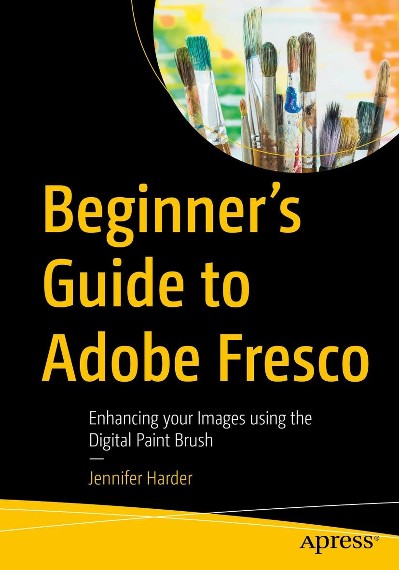
Format: .pdf
Size: 58.86 MB
Year: 2025
Explore your creative side using a of combination of vector and raster (pixilated) layers and brushes with Adobe Fresco to create your digital painting effects, enhance your designs, or create a simple GIF animation. Fresco is a unique drawing application added to the Adobe Creative Cloud suite in 2019. If you are not familiar with Fresco, you may want to know what its practical applications are for your next design project. This book will explore how Fresco can be used as a stand-alone creative application using its various tools and panels. However, we will also look at how to import your current artwork created with other Adobe Applications like Photoshop into Fresco to enhance the design. Later we will look at Fresco’s basic animation options as well. Finally, we will look at Export options so that you can use the final files for projects and share them with other Adobe applications outside of the Creative Cloud desktop file folder. You will discover that Fresco is a great application to add to your “tool belt” of knowledge when your clients ask that additional artistic brush effects be applied to a project. You will also see the various similarities between it, Photoshop, and Illustrator. This book is ideal for beginners; however, some prior experience with using Photoshop and Illustrator to create or color correct the main images before importing is useful. Some information will be briefly discussed regarding these Adobe applications as it specifically applies to Fresco. Students and graphic designers who want to add further brush embellishments to their projects while working with Fresco and other Adobe applications.